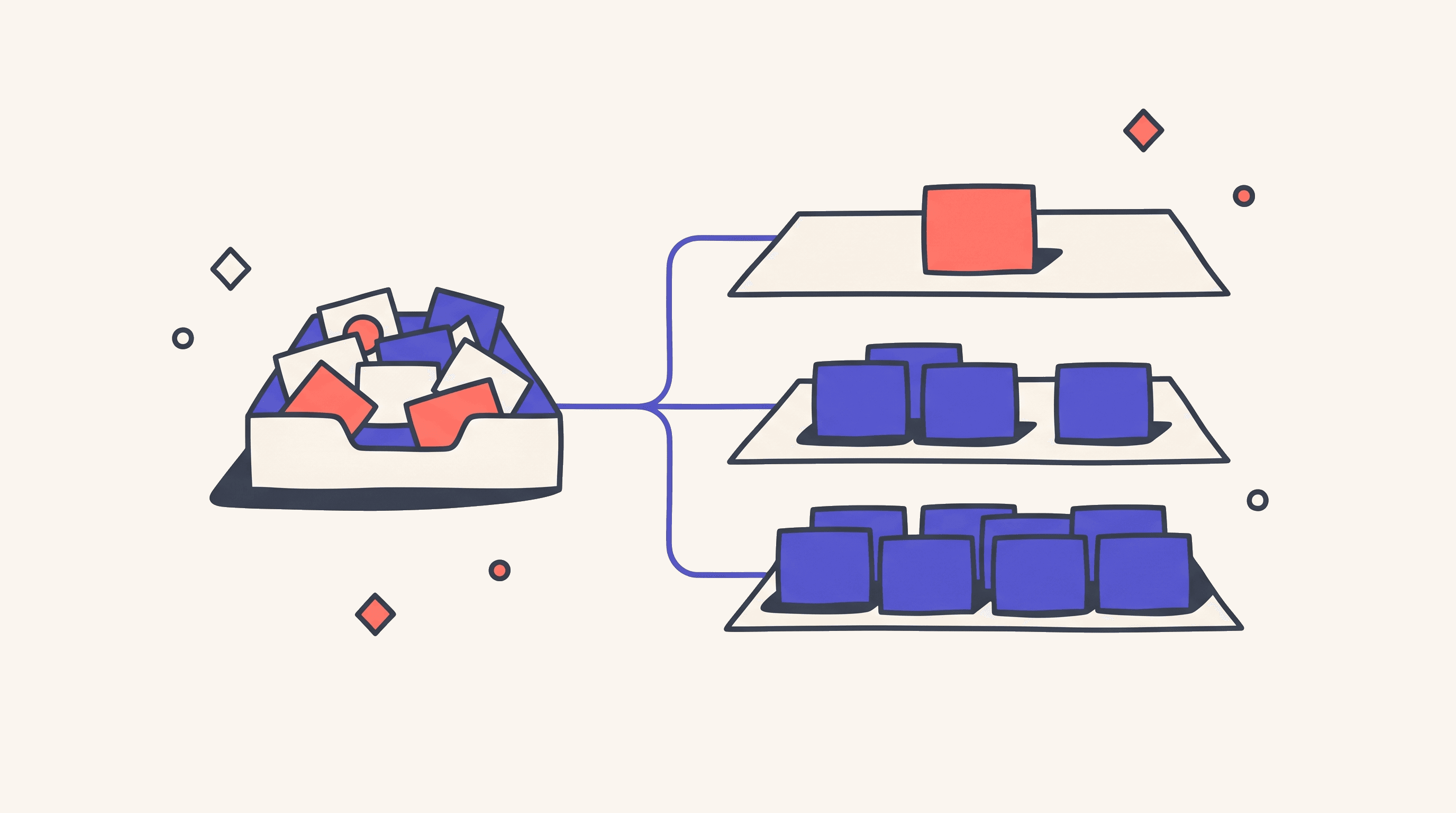
Workflow or Agent by Work Shape
A reference dossier for the ops lead, head of automation, or founder already paying for two or three automation tools: the seven work classes a team actually runs every week, the shape that earns each one (workflow, agent, or a controlled hybrid), and where the human has to step back in regardless of which platform shows up on the demo.

TL;DR
The decision isn't Zapier versus Make, or Lindy versus Relevance AI. That decision sits in vendor selection. The decision here is which shape the work belongs to: a workflow (a recipe with fixed inputs, fixed steps, machine-checkable success) or an agent (a delegate that picks tools, revises plans, and decides what to do next).
A workflow is cheap, repeatable, and observable; it's brittle at the edges. An agent is judgment-aware and recoverable when the next step isn't known; it's slower, more expensive, and easier to over-trust. Most automation pain comes from picking the wrong shape for the work, and the second wave comes from picking the right shape and pricing it like the other one.
Seven work classes sit underneath every automation stack. Trigger-to-action chains, multi-system data movement, and approval ceremonies belong to workflows. Open-ended research and multi-step reasoning belong to agents inside a workflow wrapper. Triage and long-running monitoring belong to a controlled hybrid: workflow scaffolding plus one judgment step.
A starting stack pairs one workflow platform the operator can actually drive with one agent platform when judgment work clears a threshold.
Workflow layer:
- Zapier for broad SaaS automation
- Make for visual branching
- n8n for self-hosted control
- Pipedream for API-heavy glue
- Power Automate inside the Microsoft estate
Agent layer:
- Lindy for assistant-style work
- Relevance AI for GTM and research workforces
- Stack AI for enterprise RAG
- Sema4 for governed finance and document work
Platform cost runs $20 to $250 a month at small volume; the real spend shows up when agent loops or branched workflows scale without a cost ceiling per successful output.
Classifying the work is the team's job, not the platform's. A platform can't tell you which shape your process wants. It can only make the wrong choice feel easier.
Three Deployments That Failed at the Data Layer
A founder routed demo requests from a web form to Slack, HubSpot, and Gmail. The first build used an AI assistant because the demo looked better: "When a new lead arrives, understand the request, decide whether to notify sales, update CRM, and send a reply." The real work had no open judgment. The form fields were fixed, the CRM object was fixed, the Slack message was fixed, the acknowledgment email was fixed. The only conditional was "company email or personal email," which a one-line filter could handle. The agent took longer than a workflow, cost more per lead, and created run-to-run variation in a process that should have reconciled exactly. The failure moment wasn't a hallucination; it was the first month-end review where sales asked why two equivalent leads got different follow-ups, and RevOps couldn't explain the difference without reading agent transcripts. Call it the agent-as-workflow tax.
An ops team built support-ticket triage in a visual workflow tool. The first version had 20 branches. Then edge cases arrived: refund request plus bug report, enterprise account plus angry tone, duplicate ticket plus compliance keyword, one message containing three separate issues. The team kept adding branches because the workflow builder made branches easy. By week six, nobody knew which branch won when two conditions matched. The routing was brittle. The workflow was technically deterministic but operationally false: it encoded a messy judgment problem as if it were a clean decision tree. The slot didn't belong to a free-running agent either; it belonged to a workflow with one constrained classifier step that returned a label, a confidence score, and a short rationale, with low-confidence items routed to a human queue. Call it the 200-branch fallacy.
A growth team asked an agent to enrich every signup: search the company website, scan LinkedIn, summarize the firm, write a segment, update CRM. It worked during the pilot. Then volume hit 10,000 signups per day. At a cent per run, that's $3,000 a month before retries; at ten cents per run, $30,000. Premium enrichment vendors, browser failures, and human review pushed it higher. Relevance AI's top-up pricing lists Actions at $80 per 1,000, with every tool run counting as an Action even when the tool fails. Zapier's MCP guide notes that MCP costs two Zapier tasks per tool call. Lindy says agents keep running until the job is done, and consume more credits as tasks get longer or more complex. The fix wasn't a cheaper model; it was shape correction. Cache the deterministic enrichment, run rules-based fallbacks first, call the agent only on unknown domains or high-value segments, batch the work, store results, cap the loops, force an escalation boundary. Call it agent economics ignored.
Three teams, three different mistakes, one category. They picked a platform before they classified the work. They treated the shape decision as a downstream detail, and the platform encouraged whichever shape it sold.
The lifecycle anchor is the Cognosys story. Cognosys launched as a standalone AI agent platform in 2023, rebranded as Ottogrid, and was acquired by Cohere in 2025, with the standalone product expected to fold into Cohere's platform. The technology may be better off inside Cohere; the buyers who built their automation on Cognosys aren't. Picking an early-stage agent vendor without an exit plan (exportable data, portable prompts, clear API boundaries, workflow wrappers that can swap the engine) is its own failure mode.
The Seven Classes and the Three Shapes
Each sub-case below follows the same template: the slot names the default shape, the "what ships clean" bullets describe the deliverable, the ceiling names the failure mode, and the action line is the Friday deliverable.
Trigger-to-Action Chains
An event fires and the system performs a small number of fixed actions: a form submission, a Stripe payment, a calendar event, a file landing in a folder. The automation sends a Slack message, updates a CRM field, creates a ticket, emails a receipt, posts a row.
The slot belongs to a workflow. Not a workflow with "agent" branding, not a multi-step agent: a plain, deterministic flow. Zapier for broad SaaS coverage and non-technical operators, Make for visual branching with stronger error handling, n8n when self-hosting matters, Pipedream when a developer owns the work, Power Automate inside Microsoft environments.
What ships clean:
- A named trigger, two to five action steps, a failure notification, a replay path, and a short run log any operator can read
- Built-in tools (Zapier's Filter, Formatter, Paths, Delay, Looping, Sub-Zap, Tables) used for branching and shaping, since most of them don't count as tasks under Zapier's pricing
- A reconcilable output: equivalent inputs produce identical outputs, every time
- A cost target measured per successful trigger, not per attempt
The ceiling appears at trigger chains that start absorbing judgment that should sit upstream. The moment a workflow needs to "understand what the customer meant," the work has left this class. The named failure mode is the agent-as-workflow tax.
If you start this week, pick one trigger that already fires at least 30 times a month, map the exact event payload, build the simplest workflow possible, add failure notification, and run 20 real events before going live. Ship by Friday only if the output is identical for equivalent inputs.
Examples of what this looks like in production:
| Trigger | Steps | Stack |
|---|---|---|
| New web form submission | Validate fields, create CRM record, notify sales in Slack, send acknowledgment email | Zapier or Make |
| Stripe payment succeeded | Log to accounting, send receipt, update subscription record, slack the finance channel | Make or Pipedream |
| File dropped in cloud folder | Move to processed folder, notify owner in Slack, log to tracking sheet | Power Automate or n8n |
Multi-System Data Movement
Records move across systems, get transformed by known rules, and land somewhere that has to reconcile: CRM to data warehouse, Airtable to HubSpot, order platform to accounting, support system to product board, webhooks to internal database.
The slot belongs to a workflow. The transformation layer can use code, formatter steps, tables, or a small function. It shouldn't use a free-form agent for core mapping, because determinism and audit beat judgment when the data has to reconcile. Make for visual branching and credit-based scaling, n8n when self-hosting or unlimited steps per workflow matter, Pipedream when the team is comfortable in code, Workato or Tray.ai when enterprise governance, regions, and support outweigh cheap runs.
What ships clean:
- A defined source of truth, preserved record IDs, idempotent writes, documented schema mapping, and known retry behavior
- A dead-letter or exception queue for records that fail, with a clear owner
- Conflict rules written down before the platform sees them (which side wins on update collision, how missing fields are handled, how deletes propagate)
- A test run that deliberately breaks five records and confirms they land in the exception queue, not in the destination
The ceiling appears at transforms based on semantic interpretation instead of known rules. When the workflow starts guessing what "Acme Inc." means versus "Acme, Inc.", the team should isolate the interpretation as a classifier step and keep the transport deterministic. The named failure mode is silent reconciliation drift.
If you start this week, select one record type and one direction. Write the mapping in a table before touching a platform. Ship a workflow that handles creates and updates, then deliberately break five records by Friday to confirm the exception path works.
Examples of what this looks like in production:
| Source → Destination | Transform | Stack |
|---|---|---|
| Stripe → QuickBooks | Map customer ID, convert currency, tag deposit type | Make or Pipedream |
| HubSpot contacts → Snowflake | Daily dedup, normalize phone format, enrich with firmographic tier | n8n or Workato |
| Zendesk tickets → Linear | Status sync, label-to-priority mapping, attach customer plan | Workato or Tray.ai |
Triage and Classification at the Edge
Inbound items need a bucket: emails, tickets, leads, applications, supplier questions, legal requests, incident reports. The judgment is real but bounded; the taxonomy is small; the goal is to route, not to solve the whole case.
The slot belongs to a hybrid: workflow first, one constrained AI classification step, workflow after. The classifier returns a fixed label, a confidence score, a short rationale, and a recommended next action. The workflow routes only when confidence clears a threshold, and sends everything else to a human queue. Workflow platform owns the wrapper (Zapier, Make, n8n, Pipedream, Power Automate); an LLM module or specialist agent platform owns the classifier step (Relevance AI, Lindy, Stack AI, or a native AI node).
What ships clean:
- A taxonomy of fewer than 15 labels, with three to five labeled examples per class and an explicit "unknown / needs human" class
- A confidence threshold and a weekly review of misroutes
- A classifier output that includes label, confidence, rationale, and recommended next action as structured JSON
- A test set of 100 historical items labeled by a human before the agent ever sees production
The ceiling appears when the taxonomy keeps expanding to cover every edge case. That isn't classification anymore; it's investigation, and the work has graduated to multi-step reasoning. The named failure mode is the 200-branch fallacy.
If you start this week, pull 100 real inbound items, have a human label them into a 10-label taxonomy, build one classifier step that outputs JSON, and route only labels above 0.85 confidence. Publish precision by label by Friday, not just an overall accuracy number.
Examples of what this looks like in production:
| Inbound type | Labels | Stack |
|---|---|---|
| Support emails | refund / bug report / how-to / enterprise / spam | Zapier + Relevance AI classifier |
| Inbound leads | hot / warm / cold / out-of-ICP / spam | Make + LLM step or Stack AI |
| Job applications | role match / partial match / no fit / needs review | n8n + classifier node |
Open-Ended Research and Synthesis
The work is "find what changed in our market this week," "summarize the competitor's positioning shift," "research this account and write a briefing," "find everything written about X and extract the through-line."
The slot belongs to an agent inside a workflow wrapper. The workflow schedules the job, passes inputs, sets limits, stores outputs, notifies the operator, and asks for approval. The agent searches, chooses sources, reads, compares, and synthesizes. Relevance AI for GTM/research workforces, Stack AI for enterprise RAG and document-heavy research, Lindy for personal inbox/calendar/research assistance, Pipedream or n8n for DIY agent wrappers, Beam for enterprise back-office research as part of a larger process.
What ships clean:
- A briefing with cited sources, a query log, a list of sources excluded, a confidence note, and a clean handoff to a human
- Hard limits on the agent: max sources, max time, max cost, max retries, output schema
- A small evaluation set (five real recurring topics) graded by a human on coverage, correctness, usefulness, and source quality
- A staged ramp from low to medium to high volume, with quality checks at each step before cost optimization (Relevance AI's own published case describes 25 leads, then 100, then thousands as the ramp pattern)
The ceiling appears when the agent has no budget cap and keeps searching, or when the workflow pretends research is deterministic and hard-codes source branches. The named failure mode is the unbounded research loop.
If you start this week, pick one recurring research question, set max sources and max cost, run the agent on five real topics, and have a human grade the briefings. Ship only if the operator would use the brief without redoing the work from scratch.
Examples of what this looks like in production:
| Question | Sources searched | Output |
|---|---|---|
| "What changed at this account this quarter" | Company blog, LinkedIn, press releases, SEC filings | One-page briefing in Notion |
| "Competitor X positioning shift" | Marketing pages, recent press, conference talks, social posts | Slack digest with three takeaways |
| "Synthesize this week's product feedback" | Support tickets, NPS responses, app store reviews, sales notes | PM brief with themed quotes |
Multi-Step Reasoning With Tool Selection
A case arrives and the system has to decide which tools to use. Examples: reconcile an invoice against contracts and flag discrepancies, investigate a support escalation across logs and account history, review a vendor security questionnaire, classify a contract clause against policy.
The slot belongs to an agent with workflow subroutines. The agent doesn't call arbitrary tools; it gets a constrained toolbelt (retrieve contract, query invoice, calculate variance, search policy, draft discrepancy, request approval). The workflow owns intake, permissions, audit, and writeback. Sema4 for enterprise finance and document work with VPC or Snowflake deployment, Workato or Tray.ai when the iPaaS already owns system integration, Stack AI for document-heavy enterprise agents, n8n or Pipedream for technical teams building controlled agents.
What ships clean:
- A case file structure: allowed tools, max step count, max spend per case, output schema, rationale, evidence links, and required human review for high-risk outcomes
- An agent with no write access initially; reads first, drafts second, actions only after a human reviews
- A test set of 20 historical cases with known outcomes, run before the agent goes anywhere near production
- A model-switch evaluation: if the team plans to swap the underlying model, the new one passes the same eval set before going live (Workato's Agent Studio docs explicitly warn that model switching creates inconsistent behavior)
The ceiling appears when the agent has broad authority without a stop condition, or when the team encodes every reasoning path as workflow branches. The named failure mode is agent without budget cap.
If you start this week, pick one case type with high manual pain and low blast radius, build three tools only (retrieve, compare, draft), and ship a human-reviewed discrepancy report by Friday. The week-one win is "analyst accepts the evidence packet," not "agent closes the case."
Examples of what this looks like in production:
| Case | Tools the agent gets | Output |
|---|---|---|
| Invoice reconciliation | Get contract, get invoice, calc variance, search policy | Discrepancy report with evidence links |
| Vendor security review | Pull questionnaire, search policy, classify clauses, flag exceptions | Risk score plus reviewer-ready packet |
| Refund eligibility decision | Pull account, pull contract, check history, check exception register | Recommendation with cited rule |
Approval and Human-In-The-Loop Ceremonies
The system routes something, waits for a person, captures approval or rejection, resumes, and records the audit trail. Examples: approve a refund, review a contract exception, approve a discount, sign off on an outbound email, accept a model-generated classification below confidence threshold.
The slot belongs to a workflow. An agent can draft the recommendation; the workflow owns the ceremony. Power Automate inside Microsoft environments because flows, approvals, Teams, Outlook, and Dataverse live in the same estate. Zapier, Make, Workato, Tray.ai, and n8n for non-Microsoft stacks. Agent platforms only when the approval is part of a larger agentic process, and even then the approval state belongs in the workflow, not in chat history.
What ships clean:
- A request object with approver, timeout, escalation path, status, audit log, and a resumed action
- A required approve/reject button and reason field, not a chat reply
- A timeout that escalates (not a request that disappears)
- An audit record stored as a row, not as a Slack message
The ceiling appears when the agent both recommends and approves its own work, or when approval state is buried in chat history rather than stored as a record. The named failure mode is approval-by-vibes.
If you start this week, pick one approval with a clear policy and a clear owner, build the workflow without AI first, then add AI only as a draft recommendation. Ship with a required approve/reject button, a reason field, and a timeout by Friday.
Examples of what this looks like in production:
| Request type | Approver | Resume action |
|---|---|---|
| Refund over $500 | Support manager | Issue refund via Stripe, log to CRM |
| Contract exception | Legal lead | Update Salesforce contract, notify deal owner |
| Discount over 20% | Sales VP | Apply to deal record, notify finance |
Long-Running Monitoring With Stateful Escalation
The system watches a queue, metric, feed, inbox, supplier portal, data table, or issue stream. Most events are normal; some cross a rule threshold; some need interpretation; some escalate.
The slot belongs to a workflow core plus an agent exception handler. The workflow watches, filters, deduplicates, stores state, and escalates. The agent investigates ambiguous events or drafts the escalation packet, only when rules can't classify the event. Make for visual scheduling and execution-log retention, Pipedream for compute-flexible monitoring with auto-retry and VPC options, n8n for self-hosted monitors, Power Automate inside Microsoft environments, Workato or Tray.ai for enterprise monitoring with log streaming.
What ships clean:
- A defined monitored object, a polling or webhook method, a state store, a threshold, a suppression window, an escalation path, and a cost cap
- Rules-based filtering and deduplication before any AI call
- A dashboard showing total events, suppressed events, escalated events, agent-reviewed events, and cost per escalation
- A clear rule for when an event escapes the rules layer and reaches the agent (the threshold, not the platform's default)
The ceiling appears when every event gets sent to an agent "just in case." That's how monitoring becomes a token sink. The named failure mode is the always-on agent meter.
If you start this week, identify the events that rules can ignore, build suppression and deduplication before the agent, and run the agent only on the 5 percent of cases the rules can't classify. By Friday, the dashboard should show event counts and cost per escalation by category.
Examples of what this looks like in production:
| Watched | Rule or threshold | Escalation |
|---|---|---|
| Stripe failed payments | One payment over $1,000 or three failures in 24h | DM to the account manager |
| API error rate | Error rate over 5 percent for five minutes | Page engineering on-call |
| Supplier delivery feed | Shipment over 48 hours late | Email to procurement lead with case file |
What the Human Owns Regardless of Platform
The ops lead owns the work classification. A platform can't tell you whether a process wants a workflow or an agent. It can only make the wrong choice feel easier, because the platform sells the shape it ships.
Support leadership or the relevant function owner sets the reliability target. "Good enough" for a weekly research memo isn't good enough for invoice posting. "Mostly right" can be acceptable for prioritizing leads and unacceptable for sending refunds. The target gets written down before the build, not negotiated after the first failure.
Finance owns the cost ceiling per successful output: a maximum acceptable cost per delivered result, not per run and not per attempt. If an agent needs three retries and a human correction, the cost is the whole chain. The ceiling gets compared to the alternative cost (hours of human time, current tool fees, opportunity cost), and the math gets signed off before the team buys.
The function owner sets the escalation boundary. Agents shouldn't decide when they get to bypass humans. The boundary needs a rule the team can defend: confidence threshold, dollar value, customer tier, compliance keyword, security risk, or unknown state. The boundary lives in the platform's settings, not inside an article.
Operations owns the audit trail. If the system can't explain what happened, when, with which data, and under whose authority, it isn't production automation. Audit lives as structured rows, not as conversation logs.
Leadership owns the rollback plan. Every pilot needs a way to turn the system off without stopping the business process. If the agent goes wrong on Friday afternoon, the team needs to know how to revert to manual by Monday morning without losing data.
The agent reads what you give it, the workflow runs what you build, and that work isn't what the platform sells. The platform sells software; the work is the team's.
Cost Calculus and Coexistence
Cheap on the software line isn't cheap in production. A free workflow tier wired to an unbounded agent can produce a four-figure monthly bill before anyone notices, and a sales-led enterprise platform with strong governance can save more than its license cost in production damage avoided. The math below assumes a small-to-mid team running between 1,000 and 100,000 automation events a month; enterprise estates push every number up.
Recurring costs to count:
- Workflow platform tasks, credits, or executions (Zapier task tiers, Make credits, n8n executions, Pipedream compute credits, Tray.ai task usage, Power Automate per-user or per-bot licensing)
- Agent platform actions, runs, or per-agent-per-day fees (Relevance AI Actions plus Vendor Credits, Lindy credits, Bardeen row credits, Stack AI runs, Sema4 per-agent-per-day plus infrastructure)
- Model and tool call costs (LLM input/output tokens, search APIs, scraping, premium enrichment, retry loops)
- Human time on exception handling and approval ceremonies
- Migration and rewrite cost when the team picks the wrong shape and has to redo it
- Self-hosting infrastructure if the team runs n8n or a DIY stack on its own servers
Five coexistence patterns capture most production setups:
- Workflow platform as the only layer: best for SMB teams where most work fits classes 1, 2, and 6. Zapier or Make for non-technical operators, n8n for technical teams that want self-hosting, Pipedream for developer-owned automation. Cost runs $20 to $50 a month at low volume; scales with task count.
- Workflow platform plus one classifier step: best for teams that have triage or content classification as a real bottleneck. Workflow owns the wrapper; an LLM module or Relevance AI tool owns the judgment. Add roughly $20 to $100 a month for the classifier on top of the workflow base.
- Workflow platform plus a research agent: best for GTM, support enrichment, and competitive research where one or two recurring research tasks are real work. Zapier or Make for the wrapper, Relevance AI or Lindy for the agent. Watch Vendor Credits and Actions; cost can swing 5x with volume.
- Enterprise iPaaS plus governed agents: best for finance, AP, document, and back-office work in regulated environments. Workato or Tray.ai for orchestration, Sema4 for governed enterprise agents in Snowflake or AWS. Sales-led pricing; expect five-figure annual commitments at the floor.
- Microsoft estate plus Copilot Studio: best when identity, collaboration, and data already live in Microsoft. Power Automate for flows and approvals, Copilot Studio for the agent layer. Licensing depends on premium connectors, AI Builder, and Copilot credits; budget per user and per process, not per workflow.
Two platforms earn their seats when one handles deterministic orchestration and the other handles judgment work that the first can't honestly encode. They don't earn their seats when the agent platform is bought to cover for an unclassified work backlog. A second platform can't decide what shape the work belongs to; it can only run the wrong shape with a different vendor logo.
Pitfalls and Anti-Patterns
Building an Agent for Deterministic Work
Using Lindy, Relevance AI, or Zapier Agents to route fixed form submissions, send fixed emails, or write fixed CRM updates. It works, but it's slower, harder to reproduce, and more expensive than a Zap, a Make scenario, an n8n workflow, a Pipedream workflow, or a Power Automate flow. The fix is shape correction: rebuild the deterministic path as a workflow, and reserve the agent for the narrow judgment that actually needs it.
Building a Workflow for Judgment Work
Using Make routers or Power Automate conditions to encode every support-ticket edge case. The builder makes branches easy; that doesn't mean the category is deterministic. When the branch count grows faster than the taxonomy, the team has misclassified judgment as decision-tree logic. The fix is to isolate one constrained classifier step inside the workflow and route on its label.
Letting an Agent Loop Without a Budget Cap
Lindy says AI agents consume more credits as tasks get longer or more complex. Relevance AI charges a tool run as an Action even when the tool fails. Zapier MCP costs two tasks per tool call. That's enough evidence to make budget caps mandatory at the platform level (max steps, max spend, max time), and to monitor cost per successful output (not cost per run) on a weekly cadence.
Calling a Workflow an Agent Because It Has One LLM Step
Make AI modules, n8n LLM nodes, Zapier AI Actions, and Power Automate AI Builder can add intelligence inside a workflow. That doesn't make the workflow an agent. The decisive question is whether the system chooses what to do next, not whether one step happens to call a model. Confusing the two leads to overpaying for agent platforms when a workflow with an LLM node would do the job.
Picking the Platform Before the Work Is Classified
Buying Workato, Tray.ai, or Beam for simple trigger-action tasks because the enterprise demo is impressive. The inverse also hurts: trying to run enterprise finance reconciliation in Zapier because the first proof of concept was easy. Both directions waste money and force a rebuild within a year.
Trusting an Early Agent Vendor Without an Exit Plan
Cognosys launched in 2023, rebranded to Ottogrid, and was acquired by Cohere in 2025 with the standalone product expected to fold into Cohere's platform. The technology may be better off; the customers who built core operations on the standalone product had to plan a migration. Every agent platform pick needs an exit plan: exportable data, portable prompts, clear API boundaries, and workflow wrappers that can swap the engine.
Pricing at Run Level Instead of Successful-Output Level
Bardeen row credits, Relevance Actions, Zapier tasks, Make credits, Pipedream compute credits, and Stack AI runs all count different units. The only unit an operator should care about is successful output. Everything else is a vendor meter, useful for billing but not for decisions.
What to Validate Before Paying for the Stack
The pilot below tests three shapes against real work, not a vendor demo. It produces measurable pass-fail gates and a defensible cost-per-successful-output number.
Before day one. Build the three pilot items: one deterministic trigger-to-action or data-movement flow, one narrow triage/classification flow, one broad research or multi-step reasoning flow. Do not pilot three versions of the same shape; that validates the platform, not the decision.
Week one: build and break. Monday classifies the work and writes down the shape, the reliability target, the cost ceiling, the escalation boundary, and the rollback plan. Tuesday maps inputs, outputs, system of record, owner, and where the audit trail lives. Wednesday builds the thinnest version of each pilot. Thursday breaks each one with bad inputs, duplicate records, missing fields, permission errors, throttling, and ambiguous cases. Friday ships to a narrow real queue with real data, real users, and real failure notifications.
Week two: ramp and measure. Run all three pilots against real volume in stages. Relevance AI's own published operator case describes a ramp of 25 leads, then 100, then thousands, with quality checks before cost optimization; treat that as the default pattern. Track total items, successful outputs, failed runs, retries, human interventions, average latency, p95 latency, cost per attempt, cost per successful output, false positives, false negatives, operator trust, and rollback time.
Buy only if the loop wins. The pilot passes only when all four of these hold:
- Each pilot meets its declared reliability target and stays below its declared cost ceiling
- Every automated action can be traced to a source, a tool call, or a routing rule
- Operators can diagnose failures without reading agent transcripts
- The team has an accepted rollback path that can be exercised in under an hour
Fail the pilot if the vendor can't:
- Show why a specific automation produced a wrong output (which inputs, which step, which model, which tool call)
- Cap spend at the workflow or agent level
- Document retry and timeout behavior per step
- Stream or export logs to a separate observability layer
- Produce a clear answer on data residency, model versioning, and rollback for the contracted plan
Methodology
Declared frame: the slot belongs to the shape that matches the work (workflow, agent, or controlled hybrid), and platform selection follows shape selection rather than the other way around. The dossier maps seven work classes against their default shapes, layers in cost stacks and named failure modes, and treats vendor selection as a downstream decision rather than the central one. Sources consulted: vendor documentation, pricing pages, and product update notes for the named workflow platforms (Zapier, Make, n8n, Workato, Tray.ai, Pipedream, Microsoft Power Automate) and agent platforms (Lindy, Bardeen, Relevance AI, Sema4, Stack AI, Beam, Cognosys/Ottogrid). Public reporting on the Cognosys/Ottogrid lifecycle and Cohere acquisition anchored the vendor-risk framing. Pricing and feature claims reflect a May 2026 snapshot and shift as vendors revise plans, models, and licensing. In scope: shape-decision logic for early to mid-stage automation deployments running between 1,000 and 100,000 events a month across the standard SaaS, document, and reasoning work classes. Above 100,000 events a month, the shape decisions still apply, but the platform recommendations shift toward enterprise iPaaS pricing tiers and self-hosted infrastructure, and the cost math compounds non-linearly. Out of scope: deep enterprise iPaaS procurement, RPA-specific platforms beyond Power Automate, full multi-region governance comparisons, and the underlying-model-selection question for agents (the model is downstream of the shape decision this dossier addresses).
Sources
- Zapier — Pricing
- Zapier — Apps
- Zapier Help — Replay Zap runs
- Zapier Help — Use actions on Zapier Agents
- Zapier — MCP guide
- Make — Pricing
- Make Help — Overview of error handling
- Make Help — Quick error handling reference
- Make Help — Types of errors
- n8n — Pricing
- n8n Docs — Hosting
- n8n Docs — Error handling
- n8n Docs — AI Agent node
- n8n — AI Agent integrations
- n8n Docs — Tools Agent (human review)
- Workato — Pricing
- Workato Docs — Best practices: Error handling
- Workato Docs — Agent Studio AI model
- Workato — Data protection measures
- Workato — Product Scoop April 2026
- Workato Docs — On-prem agent
- Tray.ai — Pricing
- Tray.ai Docs — Usage and billing
- Tray.ai — Connectors
- Tray.ai — Home
- Tray.ai Docs — Merlin Agent Builder
- Tray.ai — Merlin Agent Builder launch
- Pipedream — Pricing
- Pipedream Docs — Errors
- Pipedream Docs — Workflow settings
- Pipedream — Home
- Pipedream Docs — MCP
- Pipedream Docs — VPC workflows
- Microsoft — Power Automate pricing
- Microsoft Learn — Power Automate licensing types
- Microsoft Learn — Power Automate error handling
- Microsoft Learn — AI Builder overview
- Microsoft Learn — Prompt Builder model settings
- Microsoft Learn — On-premises data gateway reference
- Lindy — Pricing
- Lindy Docs — Actions
- Lindy Docs — Monitor your agents
- Lindy Academy — Billing FAQ
- Lindy Docs — Full (llms-full.txt)
- Bardeen — Pricing
- Bardeen Support — Is There a Free Version of Bardeen.ai?
- Relevance AI Docs — Pricing
- Relevance AI Docs — Plans and credits
- Relevance AI Docs — Tools
- Relevance AI Docs — Integrations
- Relevance AI Docs — Introduction
- Relevance AI Docs — Event Streaming for Observability
- Relevance AI — Inside AI Ops: Bedi
- Sema4.ai — Home
- Sema4.ai — Pricing
- Sema4.ai — Agents
- Stack AI — Home
- Stack AI Docs — Builder Path: Beginner
- Stack AI — Pricing
- Stack AI — Which AI Model Is Best for Your Business Needs?
- Stack AI — How to Use the Stack AI MCP Server
- Vancouver Tech Journal — Vancouver AI startup Cognosys acquired by Cohere
- TechCrunch — AI startup Cohere acquires Ottogrid
- BetaKit — Cohere revenue reports paint mixed picture of growth
- Beam AI — Home
- Beam AI — Platform
- Beam AI — Order processing
Tools Mentioned
- Zapier — Broad SaaS workflow automation for non-technical operators, with 9,000+ app connections, Agents, AI Actions, MCP, and task-based pricingZapier
- Make — Visual workflow builder with routers, filters, modules, AI modules, error-handler shapes (Ignore/Resume/Commit/Rollback/Break), and credit-based pricingMake
- n8n — Open-source workflow automation with self-hosting, AI Agent node, human-review gates for tools, and execution-based cloud pricingn8n
- Workato — Enterprise iPaaS with governed recipes, Agent Studio, on-prem agent, regional data centers, and sales-led pricingWorkato
- Tray.ai — Enterprise orchestration platform with 700+ connectors, Merlin Agent Builder, MCP Agent Gateway, and tiered log/insight retentionTray.ai
- Pipedream — Developer-focused workflow platform with code-first steps, MCP, compute-credit pricing, and VPC/private network optionsPipedream
- Microsoft Power Automate — Microsoft-estate workflow and RPA platform with approvals, scopes, retry policy, AI Builder, on-prem gateway, and per-user/per-bot licensingMicrosoft Power Automate
- Lindy — Personal and team AI assistant platform for inbox, calendar, meetings, voice, and light app automation, billed by creditsLindy
- Bardeen — GTM-focused AI workflow platform with web scraping, enrichment, and row-credit pricingBardeen
- Relevance AI — Low/no-code AI workforce platform with agents, workforces, tools, knowledge, BYO LLM, and Action plus Vendor Credit pricingRelevance AI
- Sema4.ai — Enterprise agent platform for finance and document work, running in Snowflake or AWS VPC with enterprise-approved LLMs, priced per agent per day plus infrastructureSema4.ai
- Stack AI — Enterprise AI agent platform with workflow nodes, LLM nodes, RAG, knowledge bases, and document-focused use casesStack AI
- Beam AI — Enterprise back-office agentic process automation for finance, HR, BPO, customer service, healthcare, and order processingBeam AI
- Cognosys / Ottogrid — Historical reference. AI agent platform launched 2023, rebranded to Ottogrid, acquired by Cohere in 2025; standalone product folding into CohereCognosys / Ottogrid
Share